

If your child loves coloring today but wants a puzzle tomorrow, or wants to try writing their name, you do not need to pick one fixed activity. Kids Worldbrings those familiar experiences together in one app: kids choose the game they like, try a little at a time, and save their work for the whole family to enjoy.
What activities does Kids World offer?
1. Coloring and saving your child’s pictures
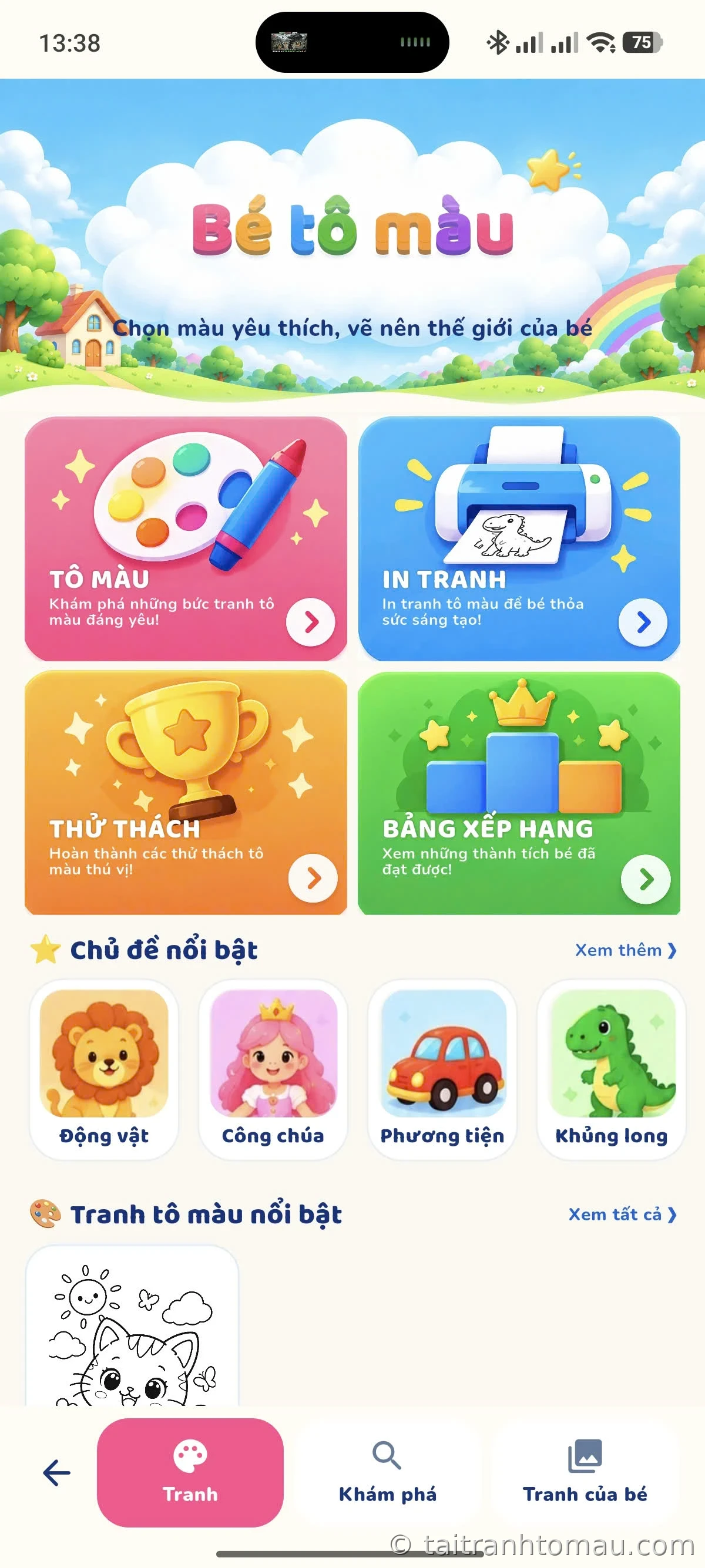
Kids pick pictures by theme, try lots of colors, and use brushes or stickers to make each picture their own. Finished pictures can be saved to a collection, so parents can open them again and chat with their child about the artwork. It is also a natural step from choosing coloring pages on the websiteto a creative activity on a device.
2. Tracing letters and numbers in Vietnamese
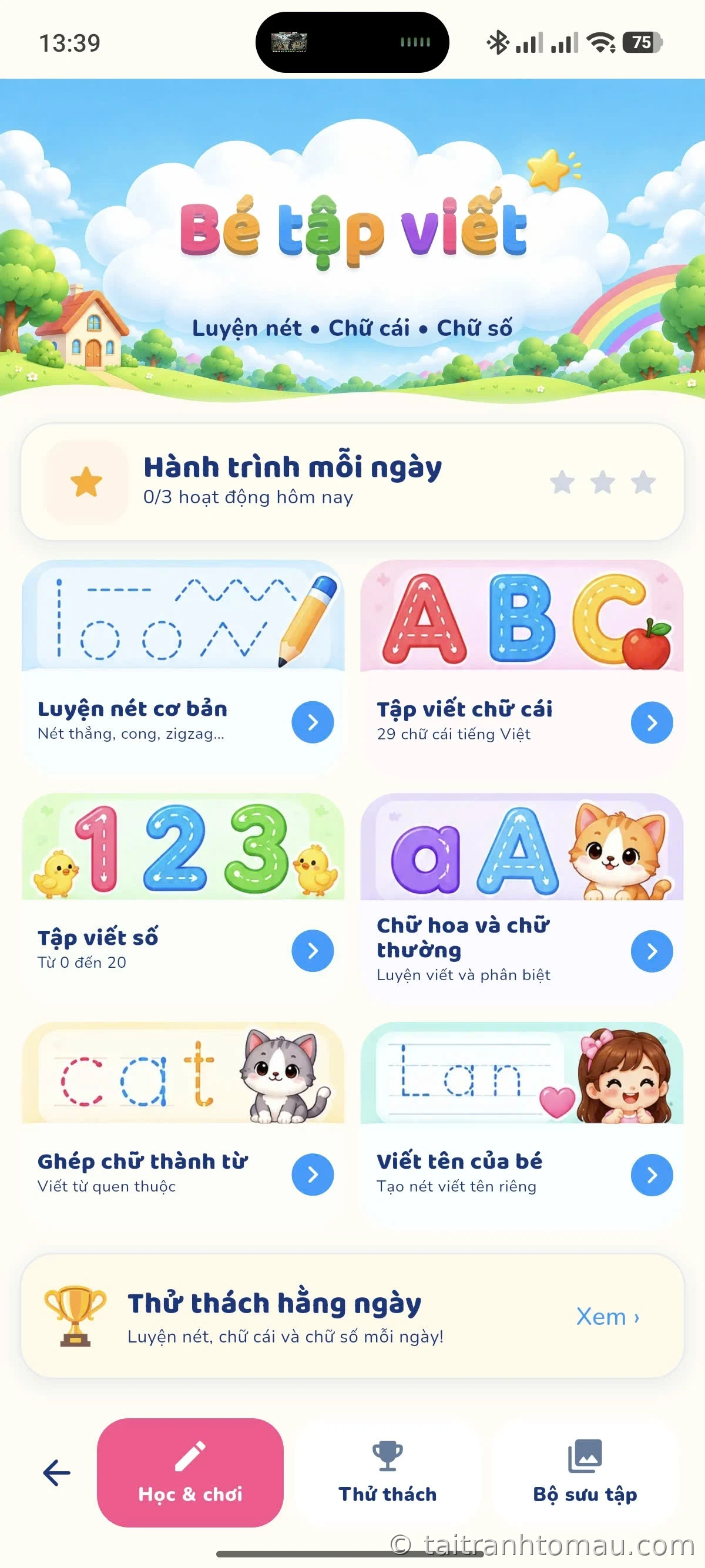
The tracing section helps kids learn basic strokes, uppercase and lowercase letters, numbers, and even the letters in their own name. Stroke guides show kids where to start; parents can sit beside them, read the letters aloud, and encourage them to try again at their own pace. Vietnamese letters with diacritics are a lovely bonus for families who want to mix play with letter practice.
3. Learning math with pictures
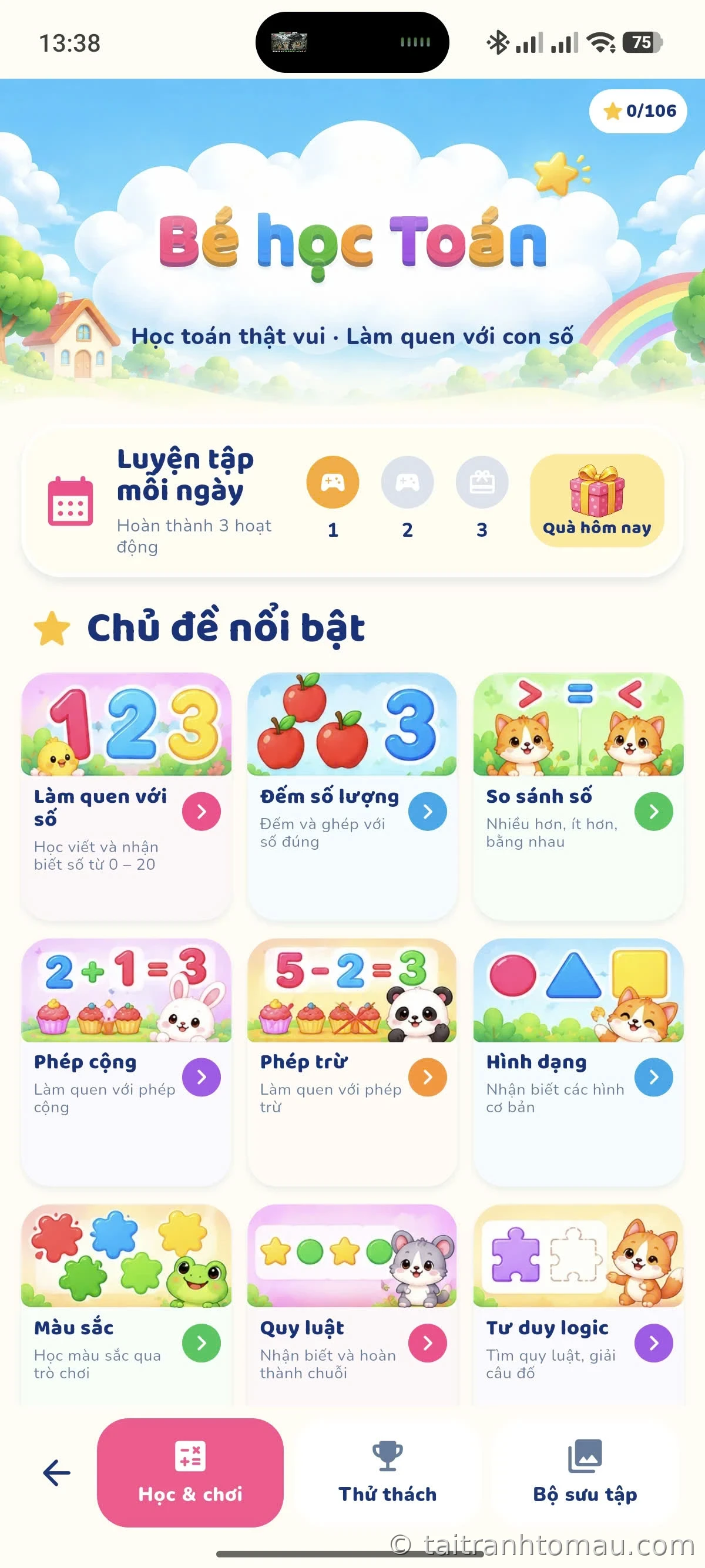
Instead of just looking at calculations, kids count objects, compare quantities, and pick answers through large illustrations. Short activities make it easy for parents to ask follow-up questions off-screen: “How many apples do you see?” or “Which group has more?”
4. Puzzles at several challenge levels
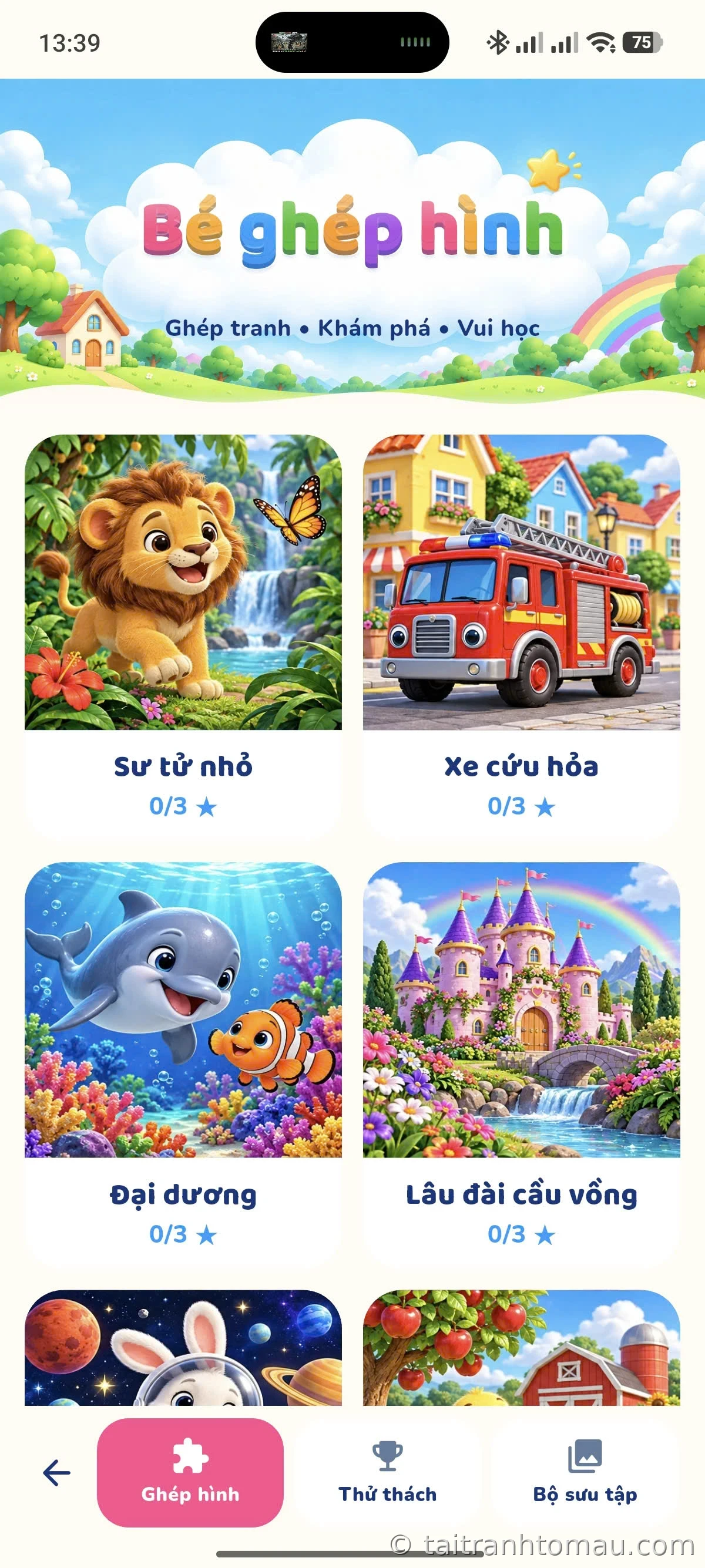
The puzzle library has pictures of animals, nature, vehicles, and fun scenes. Each picture comes in 4, 9, or 16 pieces; kids can view the sample picture, tap or drag pieces into place, and return to a puzzle in progress.
5. Daily challenges and a collection of achievements
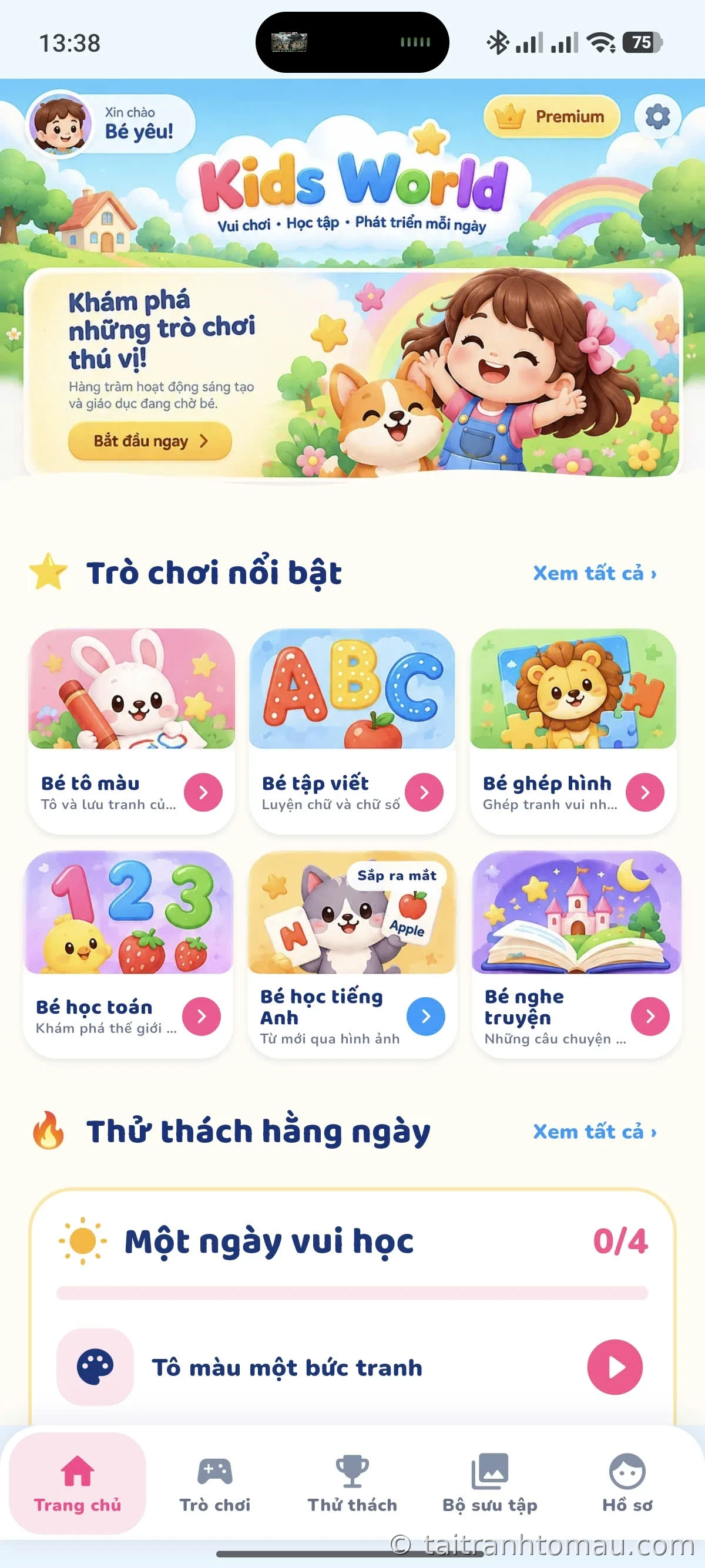
Each day, Kids World suggests a small set of tasks — color a picture, write a lesson, do a math problem, solve a puzzle — so kids have a reason to return without playing for long. Every finished picture and lesson is saved to a collection, sorted by pictures, writing, math, and puzzles, so parents and kids can look back on progress over time.
Coming soon: Kids Learn English and story listening
The home screen also teases two more sections in preparation: Kids Learn English (labeled “Coming soon” in the screenshots) and a story listening corner. Those two are still on their way, so for now this guide sticks to the 4 activities kids can play today.
Why might parents choose Kids World?
- Many ways to play in one place: coloring, tracing, math, and puzzles, so kids can switch activities whenever they want.
- Kids can try and retry: every play session is a chance to explore — no need to rush to finish fast.
- Achievements to look at together: the picture collection, progress, and challenges give parents and kids a starting point for conversation.
- Easy to start: the built-in core content works offline and needs no sign-in to play. Extra downloads or account services need an internet connection.
Kids World fits short family learning moments. The app offers activities and suggestions, while parents asking, listening, and cheering along make the experience feel closer.
How do you start with your child?
- Let your child pick the section they are most curious about: coloring, tracing, math, or puzzles.
- Play one short activity; let your child pick colors, answer, or try placing a puzzle piece before you suggest anything.
- Look back at the finished picture or lesson together, ask your child which detail they liked, and what they want to try next.
Frequently asked questions
Is Kids World just a coloring app for kids?
No. Coloring is a standout section, alongside Vietnamese tracing, picture-based math, and puzzles. Kids can switch between activities as they like.
Does my child need to sign in or be online to start?
No sign-in is needed for the built-in learning content. Extra downloads and account services need internet when used.
Where can I download Kids World?
Kids World is currently in early access for Android users. Just join the test group and install the app from Google Play — see the Kids World early access guide for step-by-step instructions. Official download link: Kids World on Google Play.


