



Printing coloring pages at home is easier than you think — just 4 steps: choose a picture, open the full-size image, set the printer to black-and-white letter paper, and press print. Plus a few paper tips and ideas to make coloring time even more fun for your child.
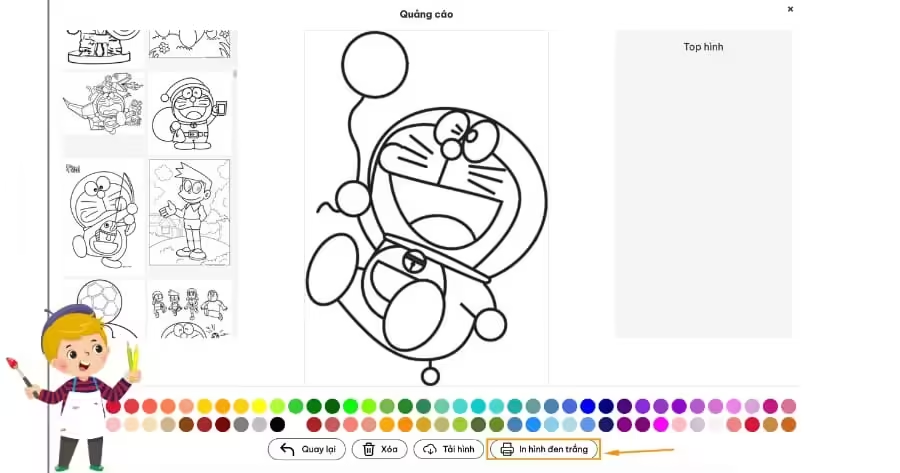
Why print coloring pages for your child?
Printed pages get kids away from phone screens, build hand dexterity, and teach patience. Parents stay in control of the content and difficulty for their child’s age — from bold outlines for 3-year-olds to detailed pages for older kids — and it costs less than buying coloring books at the store.
4 steps to print coloring pages for kids
Step 1: Choose a picture your child loves
Visit the library at TaiTranhToMau.com, and pick a theme your child loves, like dinosaurs, princesses, or superheroes. Choose bold-outline pictures if your child is under 5.
Step 2: Open the image at full size
Click each picture to open the original image. Do not print the small thumbnail directly, or the picture will come out blurry with broken lines — always open the original first, then download and print on letter paper.
Step 3: Set up the printer
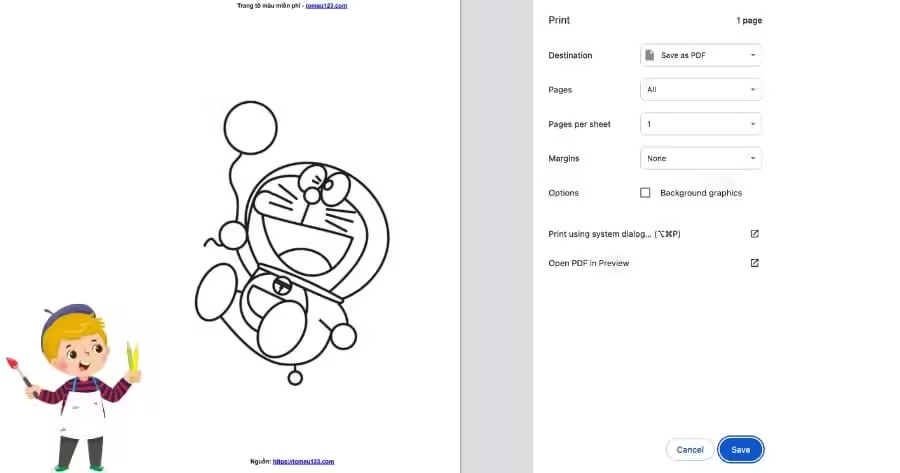
Choose paper size Letter, black-and-white mode, and normal print quality is enough. Use paper around 120gsm or thicker so watercolors do not bleed through to the back.
Step 4: Print and get ready for coloring
Print one test copy first to check sharpness. Set out crayons and lay a sheet of newspaper under the picture so your child can color freely without worrying about the table.
Tips to help your child color effectively
- Print 2 to 3 extra copies of each picture your child loves, because kids often want to color it a second time, even better than the first.
- Let your child choose the colors, do not insist they use realistic colors. Creativity matters more than accuracy.
- Limit coloring time to about 20 to 30 minutes per session so little hands do not get tired and bored.
- Praise specifically: instead of ‘so pretty!’, try ‘you colored this patch so evenly’.
Discover more
- Download 100+ Happy Family Coloring Pages for Kids
- Top 10 coloring page themes that build your child’s emotions
- Cartoon coloring pages that help kids invent stories
- Teaching Kids to Tell Stories Through Coloring Pages: A Complete Guide for Parents
- Free coloring page library
- Halloween coloring pages for 3-year-olds
- Red envelope coloring pages for kids at Tet
Frequently asked questions
What paper size is best for printing coloring pages?
Letter size is the most popular choice — the right size for little hands and it fits almost every home printer.
Do I need a color printer to print coloring pages?
No. Coloring pages are black-and-white line art, so a black-and-white printer prints them beautifully and more cheaply.
What paper should I use for kids’ coloring pages?
Paper from 120gsm and up. If your child uses watercolors, choose thicker specialty drawing paper.
Is downloading pictures from TaiTranhToMau.com free?
Yes. Parents can download and print every picture on the website free of charge.
Can I download a coloring page PDF to my phone and print it at a copy shop?
Yes. Download the original image to your phone, then ask the shop for black-and-white letter-size prints; if your child uses watercolors, ask for thicker paper too.
How many pictures should I print at once for a 3-4-year-old?
3-5 pictures at a time is just right. Print 2-3 extra copies of the picture your child loves most, since kids often want to color it a second time, even better than the first.


